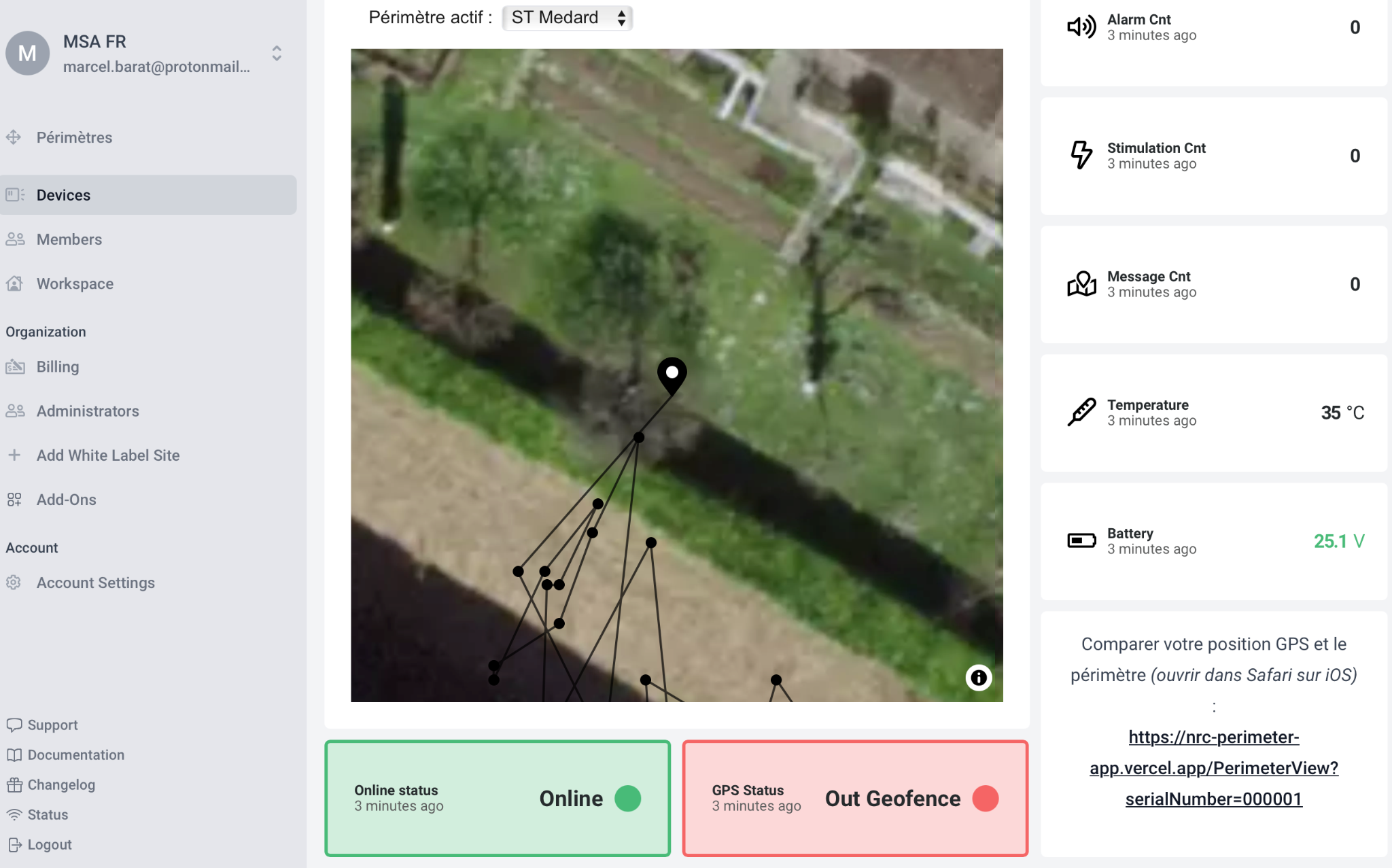
Collar dashboard
Click Devices in the left menu, then select the device (collar) you want to view.
A collar is online (green) when a message from the collar has been received by the application. If it is offline, the color is red, indicating the collar is off, not transmitting, or out of coverage.
A collar is in geofence when it is inside the authorized perimeter.
On the right, you can read the following indicators (in order):
- Number of alarms received (perimeter breaches)
- Number of electrical stimuli generated by the collar
- Number of geolocation messages received by the application
- External temperature in degrees Celsius
- Battery voltage in Volts: 4.2 V is fully charged, 3.2 V indicates the battery should be recharged